Learn about jOOQ
Getting started with the tutorial
Your simplest entry point is probably to get the tutorial running. It shows how to use jOOQ and its code generator with a simple MySQL database



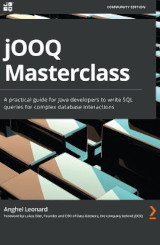 |
Anghel Leonard's jOOQ Masterclass is a complete reference for anyone looking into a deep dive into jOOQ and SQL in general. |
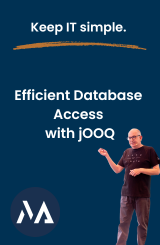 |
Simon Martinelli has extensive experience with jOOQ and other persistence technology in production. Efficient Database Access with jOOQ is a high value workshop to get the most out of jOOQ. |
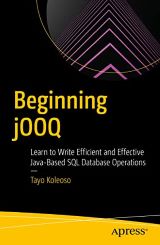 |
Tayo Koleoso's Beginning jOOQ provides a lot of introductory insight into the jOOQ ecosystem in a very refreshing and fun way. |
Third Party Learning
jOOQ is about SQL. We recommend you also read these excellent resources, which talk about SQL in general:
 |
Vlad Mihalcea, author of the Flexy Pool library has condensed his persistence tuning experience into a single book in the making. A must-read for everyone aiming for pushing their RDBMS to the limit with a Java application. |
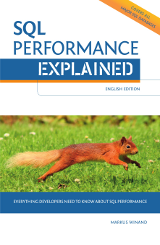 |
Markus Winand has created Use-The-Index-Luke.com. His book explains nicely how to achieve proper indexing and performance in popular RDBMS. |
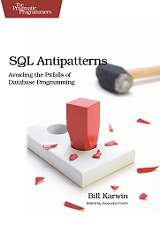 |
Bill Karwin has helped thousands of people write better SQL and build stronger relational databases. Now he’s sharing his collection of antipatterns—the most common errors he’s identified in those thousands of requests for help. |
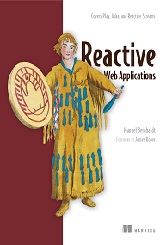 |
Manuel Bernhardt has extensive experience in Scala and Reactive programming, showing how to go reactive with Play, Akka, and jOOQ in his book in the making. |
What's jOOQ and when to use it
10 SQL Tricks That You Didn't Think Were Possible / Devoxx FR
How Modern SQL Databases Come up with Algorithms that You Would Have Never Dreamed Of / Voxxed Zurich
Our "NoSQL? No, SQL!" Presentation at JavaZone
Convince Your Manager
Are you a developer, architect? Are you conviced by jOOQ, but now need to convince your manager? We have assembled a couple of good reasons explaining how your business unit will get a high ROI with jOOQ quickly.

Any other questions?
Do you still have open questions? Do not hesitate to contact us through our various support channels:
- Free Community Support through the official jOOQ User Group
- Free Community Support through Stack Overflow
Or, just drop us a message.

